




What to Look for When Buying a 4K Television in 2026
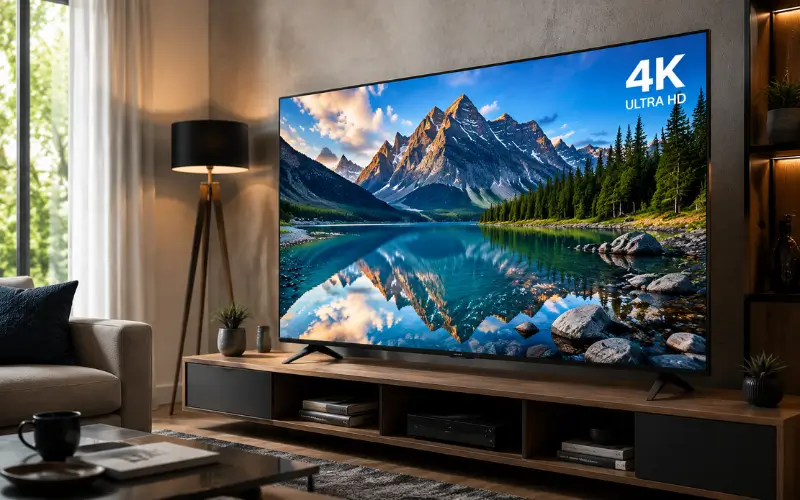
Walk into any big electronics shop and the wall of screens does an excellent job of telling you nothing. Every set looks stunning because every set is running the same demo reel of coral reefs and fireworks in Vivid mode, under lighting no living room has ever had. Then you get to the labels — OLED, QD-OLED, Mini-LED, Neo QLED, and now RGB Mini-LED and Micro RGB. Most of it is noise. A small number of things genuinely change what you’ll see at home once the box is open, and a few of them aren’t on the spec sheet at all. Those are worth understanding before you spend at least £400 on anything.
Panel Technology
OLED screens make their own light pixel by pixel. A pixel that needs to be black simply switches off. The result is a contrast no backlit panel can match. The old complaint about OLED was brightness. Current QD-OLED and tandem-stack panels push past 2,000 nits, which is a different world from the 700-nit sets that gave OLED its dim-room reputation.
QLED and Mini-LED use an LCD layer lit from behind. The better sets carve that backlight into thousands of individually dimmed zones, which gets them close to OLED contrast while going considerably brighter.
Zone count is where the marketing gets slippery. A set can be badged Mini-LED with only a few hundred zones, at which point the dimming is so coarse you’re effectively buying a regular LED TV with a better logo. On a 65-inch panel, four figures is where it starts being meaningful. The number is rarely printed on the box, which tells you something.
RGB Mini-LED and Micro RGB are the new arrivals. Instead of blue LEDs filtered to color, the backlight itself is made of separate red, green, and blue emitters. The result is a wider color range at high brightness, less blooming, and none of the burn-in risk. Early panels vary unit to unit, and factory color settings can be oversaturated. If it fits your budget, it’s the most interesting thing in LCD in years. If it doesn’t, a good conventional Mini-LED is not a consolation prize.
Which one, then? Dark room, films, patient viewing, opt for OLED. Bright room with big windows, sport, daytime telly, kids, go for a Mini-LED or RGB Mini-LED.
Resolution
Native 4K (3840 x 2160) is standard on essentially everything 43 inches and up, so it isn’t really a decision anymore. What actually matters at this end of the spec sheet is the processor. Very little of what you watch is true 4K and the chip inside the set is what turns that lower-resolution signal into something that looks sharp on a big panel. This is where the money in premium Sony, Samsung and LG sets quietly goes, and it’s the one area where the marketing claims tend to hold up. A cheap panel with a weak processor makes ordinary content look worse than your old TV did, which is not the upgrade anyone was hoping for.
HDR
You need HDR10 at minimum, which every set has, plus one of the two dynamic formats: Dolby Vision or HDR10+. These carry scene-by-scene instructions that tell your TV how to handle bright highlights and deep shadows.
Here’s the part that trips people up. Samsung has never supported Dolby Vision and shows no sign of starting. The brand backs HDR10+, the royalty-free rival it helped create, so the standard advice to “look for Dolby Vision” quietly rules out every Samsung set. Meanwhile, LG and Sony go the other way and lean heavily on Dolby Vision. Hisense, TCL and Panasonic tend to support both.
In practice, this matters less. Most major streaming services now serve one format or the other. A well-made HDR10+ TV won’t show you a broken picture. However, if you own a large 4K disc collection, check what your discs are mastered in before you buy because that’s where the format split still bites.
The Two Things That Ruin More Pictures Than Any Spec
- Reflections: In a bright room, screen coating does more for real-world picture quality than peak brightness does. A glossy panel with 2,000 nits and a window behind the sofa will look worse than a matte panel with half the output. Manufacturers have gotten much better at anti-glare layers. It’s one of the few things you can genuinely assess in a shop by standing where the lights are and looking for the reflection of your own face.
- The settings it shipped with: Almost every TV arrives in Vivid or Standard mode. Switch to Filmmaker Mode — or Cinema, or Movie, depending on the brand — and turn off motion interpolation. It takes five minutes, costs nothing, and improves the picture more than the £400 you were considering spending on the next model up.
HDMI 2.1 for Gaming
HDMI 2.1 carries 4K at 120fps along with Variable Refresh Rate (VRR) and Auto Low Latency Mode (ALLM), the feature that flips the set into game mode by itself.
Count the ports properly. Many mid-range sets advertise HDMI 2.1 but only provide it on one or two inputs, and one of those is usually the eARC port your soundbar needs. You need ports for the console, second console, soundbar, and streaming stick. Four full-bandwidth ports is a flagship feature.
The other number to pay attention to is input lag. Time interval between pressing a button and seeing the result. The benchmark is currently under 15ms, with the best sets around 10ms in game mode. Reviewers measure this. It is not usually published by the manufacturers.
Alternatively, a push for HDMI 2.2 and Ultra96 cables may be seen. This specification was completed in 2025, but televisions with this feature have just begun to become available. Not to mention the fact that there isn’t any material available that requires it. It’s a form of specification padding to buy a cable today that you are not planning on using for years.
I would never have expected to see console and cinema merge as they have in this, and a good panel is a good panel, no matter how you use it. To find out just how awesome yours can be, look for movies that have been mastered for it. That is exactly why there are platforms dedicated to 4K, such as Watch4K. One well-learned movie will tell you more about your TV than an afternoon in a showroom.
Motion and Refresh Rate
Fast-paced sports, action, and games look much better with a true 120Hz panel than a 60Hz panel. A 120Hz panel looks much better with fast motion scenes than a 60Hz panel for sports, action, and gaming. The 2026 sets are now available to run natively at 144Hz or 180Hz – primarily for PC gamers.
Avoid any terms or expressions like “Motion Rate 200” and the like. Those are in fact processing numbers and not panel refresh rates. Their purpose is to make 60Hz sets appear 120Hz. For specifications that don’t explicitly state native refresh rate, default to 60Hz.
Size
The ideal viewing angle for a truly immersive picture, according to SMPTE, is around 30 degrees. For a 65” TV, it’s about 2.5-3 meters from the TV.
The key to 4K is that you’re not going to be able to be as far away as you would with HD, so the rules of the old HD days no longer apply. Few people ever go home and say, “Yeah, my TV isn’t large enough. Few people ever go home and say, “Yeah, my TV isn’t large enough. There are lots of individuals who wish to have gone up a size after two years.
Before placing an order, find out the VESA pattern, the actual weight, and whether your wall is plasterboard or masonry, if you wish to get a large screen and display it on the wall. You can’t put on an 85″ set at random on a Saturday afternoon. Remember to measure the distance from your door to your living room! Some people forget that there is a box to get there!
Sound
Modern TVs are too thin to accommodate speakers that can move any significant air. No matter how much a set costs, and whether it has a Dolby Atmos promise on its case, the sound quality is thin, and dialogue is not clear.
If you think you’ll need a soundbar, go for it. Include £150 to £400 in the TV budget instead of finding out 3-weeks after the delivery that it is the problem. When it comes to improving costs per pound, it’s the winner nearly every time compared to elevating screen level.
Smart Platform, Ads, and How Long It Stays Usable
All of these are well-developed and well-supported operating systems: Google TV/OS, WebOS from LG, and Tizen from Samsung. All are acceptable.
Today, the interface is less important than the manufacturer’s ability to keep delivering updates to its TVs, as an out-of-date TV will become slow and lose apps well before the panel fails.
What the platform does with your attention is what’s another thing. The big systems now display adverts on the main screen and automatically recognize content being played, including via the HDMI inputs. ACR is often found in the privacy settings. It is turned on by default and is not in a visible location.
If you’re a UK customer, look for Freeview Play and make sure that the catch-up apps you use are included. Coverage is provided on the large brands and somewhat scant on budget imports.
What to Spend and When to Buy
Rough guide to 55-65 inches:
- Under £500: A simple 4K panel with poor processing, limited to 60Hz and edge-lit dimming at best. It’s okay for the bedroom or from time to time.
- £700 to £1,200: The sweet spot. Real Mini-LED backlighting, 120Hz, good processing, normally 2xHDMI 2.1.
- OLED ($1,500 – $2,500): Entry and mid-range OLED, or a high-zone count Mini-LED. A good contrast and color lift.
- Over £3,000: Flagship OLED, RGB Mini-LED, very large sizes. Genuinely better, but less so with the passing of the pound!
Check a specific model number before you commit. Manufacturers reuse family names across sizes with different panels inside, so a 55-inch and a 75-inch of the “same” TV can behave differently.
Conclusion
The arguments over which acronym has won will last for a maximum of 10 minutes, and will be put to rest when a good TV is purchased at the right time in the year and set up correctly in the first 10 minutes. Use the right type of panel for your room, have enough ports, spend money on sound, and don’t care about anything else.
Must Read: FAB Head Office Business Park: Location, Services, Contact Details & Visitor Guide
Frequently Asked Questions
Is OLED still better than Mini-LED in 2026?
Yes, if watching the film in a dark room. No, for bright rooms and sports.
Do I need 8K?
No. There’s nothing to watch in it.
Do I need HDMI 2.2?
No. There’s almost nothing on TV and no content needs it.
Is Dolby Vision essential?
No, but if you do, then you’ll have to cross Samsung off your list. It has never supported the format and won’t.
How long should a TV last?
The length of time the panel should last is approximately 10 years. That doesn’t mean it remains usable that long; it depends on software support.