





Public Wi-Fi in the UAE: Staying Private on Free Networks in Malls, Airports and Cafes
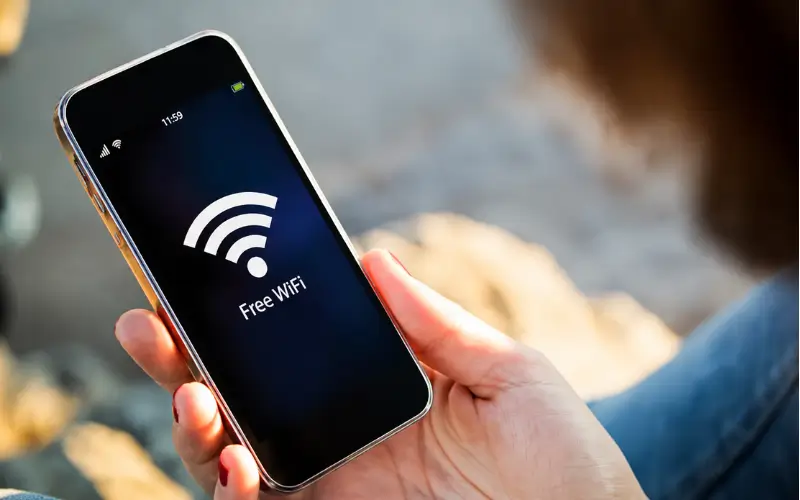
Wi-Fi in the Emirates is a way of life. It’s to be found in every big mall, both terminals of the airport, metro, clinic waiting rooms, hotel lobbies, and in nearly every coffee shop in Deira to Al Barsha. It only takes a couple of seconds to connect and doesn’t cost anything, hence why most people do it without thinking. The convenience is true. So is the trade-off, and it’s important to know what you’re committing to when you hit Join.
What an open network actually means
A network that is not passworded or is given the same password to each customer by a receipt is typically called a free network or a guest network. In any case, it is a “shared space”. Your phone is communicating with a router, which dozens or hundreds of other devices are communicating with, and in the simplest of scenarios, there is no encryption at all between your phone and your router.
The padlock next to the URL indicates that the website is secured with HTTPS, which encrypts traffic to and from the site. The majority of websites nowadays use HTTPS, the padlock you see next to the URL, which encrypts the traffic to and from the site. That is important, and whatever it is that you send to that particular site will be scrambled in transit. It does not track the sites that you have visited, the amount of time you’ve spent on them, or any apps that have been syncing in the background. From that information alone, a viewer of the network can piece together a complete history of a browsing session without reading any message.
The three risks worth taking seriously
The US Federal Trade Commission has a point to make about how safe public networks are these days: consumer guidance from the FTC states that they’re much safer than they were 10 years ago. Yes, this is true, and it is better to state it without putting any fear in the reader. Despite this, there are always three problems that occur more frequently than others.
- Lookalike hotspots. You don’t need anybody’s permission and only a small amount of equipment to set up a network of Mall Guest WiFi or Airport Free Internet. A good-looking name is shown to nearby devices; they connect, and all their activity is passed through devices operated by somebody else. There is nothing unusual about the connection to the user.
- Passive collection. In an open network, those sharing the network segment can see a fair amount of what you’re doing, without affecting you at all. Nothing to see, as nothing breaks.
- Silent reconnection. Phones retain networks and automatically reconnect to them. Any router broadcasting a particular router name will rejoin a network with that same name to which you connected at a hotel in Sharjah.
Habits that make a genuine difference
There’s no need to be paranoid about any of this. It requires a handful of default settings that are not too expensive when you have them.
- Check for the name of the network with a member of staff, not the most official-looking entry in the list. The “real” name is typically the less pretty name.
- In the Wi-Fi settings, disable automatic connection to Open Wi-Fi, and when you exit the venue networks, instruct your phone to forget them.
- Use mobile data for banking apps, government portals, and anything related to your Emirates ID. Unlike long-term bundles that cost more, local operators offer short-term bundles for lower prices, and for a 5-minute transfer, which is just the easier one.
- Beware of certificate warnings. After being told of a non-private connection by a browser when you are on a network you cannot control, you aren’t being blocked from clicking through; you’re being informed.
- If you’ve got no other choice but to use an open network, use a VPN to route your traffic. It hides the connection between your device and the rest of the internet, meaning that the shared router and any other people using it see little of interest.
- If the work is sensitive, use your cell phone as a personal hotspot with your laptop. Your own mobile connection is not a shared network, and tethering takes 1 tap.
If you think you joined the wrong network
Disconnect first and then instruct the device to forget the network so that it won’t re-join quietly afterwards. Firstly, if it is mobile data or a connection you do not trust, move to mobile data or the connection before doing anything else and change any passwords on accounts you accessed while connected. Use two-factor authentication when available; a stolen password is less valuable if it is followed by a second factor. Look at the statements of cards and bank accounts over the next few weeks instead of the next day. The public awareness material developed by CISA provides a deeper dive into the recovery steps, which, regardless of location, travel well.
A reasonable level of caution
Don’t avoid public wi-fi. It’s infrastructure that has known boundaries, and those boundaries are manageable once you’re aware where they’re at. If a situation arises and you are not sure how to proceed or where to report an issue in the UAE, it’s best to contact the Telecommunications and Digital Government Regulatory Authority.
Look at the network name. Lock the fragile items on your own link. Encrypt what you can, and forget the things that your phone doesn’t need to remember. The entire scenario lasts just several seconds and eliminates most of the benefits of free networks, anyway.
Must Read: UAE Unveils Dh6 Billion Transport Plan to Ease Dubai–Sharjah Traffic