






Why TikTok Adds a Watermark and How to Get a Clean Copy of Your Videos
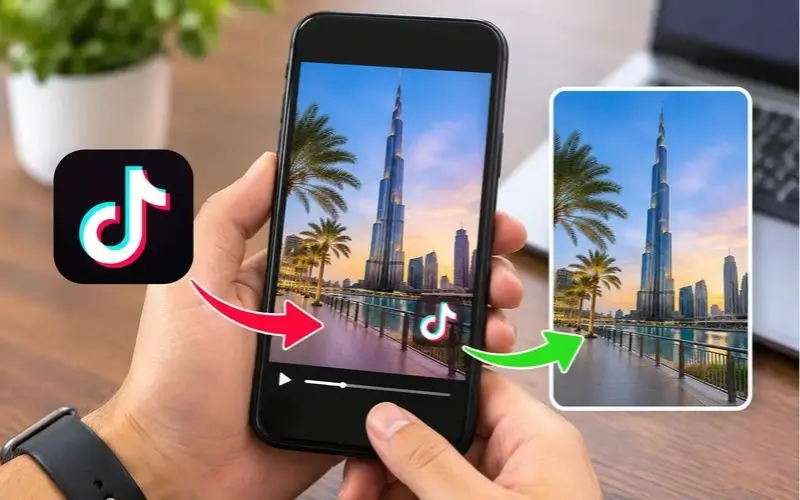
Even if a TikTok appearance clean and looks clean in the app, the file will have the TikTok logo and the creator’s @username on it when it is saved to your camera roll. It’s OK to watch later, but it’s a pain to put in a CapCut edit, PowerPoint slide or a repost of your content somewhere else.
What Exactly Gets Added to a TikTok Video When You Save It?
The marks appear when you touch the Save button.The marks appear when you tap Save. TikTok creates a new version of the video as it is playing, adds the logo and the creator’s username, and provides that version to you – the version that is playing in the app remains clean.
No layer to turn off after. Both marks are integral to the picture itself, so there’s no hiding to such a gallery app, or indeed to a basic player and an editing timeline will have no qualms about handling them like any other bites of footage. Removing them from this copy would involve editing the footage, such as by cropping or blurring the corner.
Send this clip into a WhatsApp group or arrange it in an Instagram reel with your own video and see the creative possibilities! The TikTok brand is included. On a slide deck it’s even worse – a logo in the corner makes your clip look borrowed.
Why Does TikTok Add a Watermark to Downloaded Videos?
The username is performing a trivial function. When you save a clip and share it with WhatsApp, the recipient will be able to see which account you have shared with them without asking. For the platform, the logo does the same, letting anyone who’s viewing the file know that it was from TikTok.
Creators benefit, as well. The fact that their account name remains in the frame means that when it is reposted on another platform, it’s still there for the viewers to follow and give credit.
The same overlaid is a nuisance when the creator wants to use their own creation again. Perhaps you have included a clip in a show reel or a client deck last month, and now you need to include the same clip in a different show reel or client deck, but the only copy you have remaining in your folder is the one saved with the logo.
Can You Get a Watermark-Free Copy of Your Own Video?
If you created and edited the video yourself, the one you’ve exported prior to upload should be clean and without a logo nor your username. Before downloading anything from TikTok, check the camera roll or the editing app’s list of projects and exports.
If the export is saved into a separate folder just prior to posting, with the date or the question in the name, then it is no longer relevant when the question is raised for that video again.
If the original has been deleted—for example, after you reset your phone—then the easiest way to get a fresh copy of the version TikTok stores is to download it from the public post using a link.
The setting Allow downloads is a creator privacy setting that determines whether other users will be able to see a Save option on the creator’s videos. If creators wish to save less copies of their clips, they can check it.
How Do You Download a TikTok Video Without the Watermark Using Its Link?
Copying the Link and Getting the Clean File
- In TikTok, go to the video, tap Share and Copy link. If you’re on a computer, click on the address bar and copy the entire URL.
- Go to a browser and click on open downloader and add the link. When a tool is created to Download Tiktok without watermark, it will display the public video to the public, as well as the files it has found, typically after several seconds.
- Select the resolution from the dropdown list, and save the MP4.
The decision about resolution that you make depends on how you wish to use the clip. If you’re about to shoot footage that’s going to be cut into an edit, go for the highest number listed; if you have footage that you only need to send to a friend, then go for the lower option.
Why a Link-Based Tool Can Return a File Without the Watermark
According to FastTik’s description, it downloads the original file of TikToks for playing before the download watermark appears. That’s what the Save button does: it simply adds the overlay to the copy tik tok that tik tok makes for you, and whatever tool doesn’t do that doesn’t get the marks.
The steps are identical on a phone, tablet or computer as it’s just a web page. If using a shared laptop, nothing is installed.
What to Do When the Downloader Cannot Find Your Video
If it returns nothing, see if it is a broken link first. If it’s an abridged version of the word (which was truncated when you pasted it into a chat message), select it from the Share menu, and paste in the new one.
If a video requires a login to view, it can’t be accessed, because the tool must be able to access what is viewable without logging in. This includes clips on a private account and things that are only for approved viewers.
If you delete a video, it’s gone for good: there is no file to retrieve, regardless of the program you use.
Will the Clean Copy Look as Good as the Original?
The clean copy will be as good as the best TikTok hosts have for that video. The downloaders add the available resolutions to the clip (like 540p, 720p or 1080p) and mark the best one as HD.
The downloader will always have the same quality as the upload, as if it was uploaded in a low resolution, it will be low resolution.
The file is delivered in MP4 format which can be accessed by almost all cell phone galleries, desktop players and editing software. If you’re running low on space on your phone or the clip is going to a friend in a chat app, then you’ll want to save space by using a smaller option from the list.
Is It Okay to Use a Watermark-Free Copy of Someone Else’s Video?
Saving a public video for offline viewing is one thing.Saving a public video to play offline is one thing. To re-post it as if it is your own is a different story.
As for the name of the person who made the clip, there’s no information in the file. If re-posting, then tag the creator in the post or send a message and wait for a “yes” first.
Brands have a more stringent version of this issue: regardless of how pristine the video appears, you must have a customer’s or creator’s consent before using it for ads or product pages. The exception here is your own video; no one else has anything to gain, so no credit or permission is required.
Which Route Fits Your Situation?
If it is your own video, and the exported video is still on your phone or in your edit project, then you’re done with that video. If the original post is lost, you can download a clean copy through the link that you will find in your public post.
If you wish to view an online video that belongs to someone else, make sure to use the same way and give credit to the video creator should you share it. There is no clean copy of the private or restricted video available by any of these means.
Read Also: FAB Salary Card Balance Check