






How to check vehicle fines in the UAE online 2026
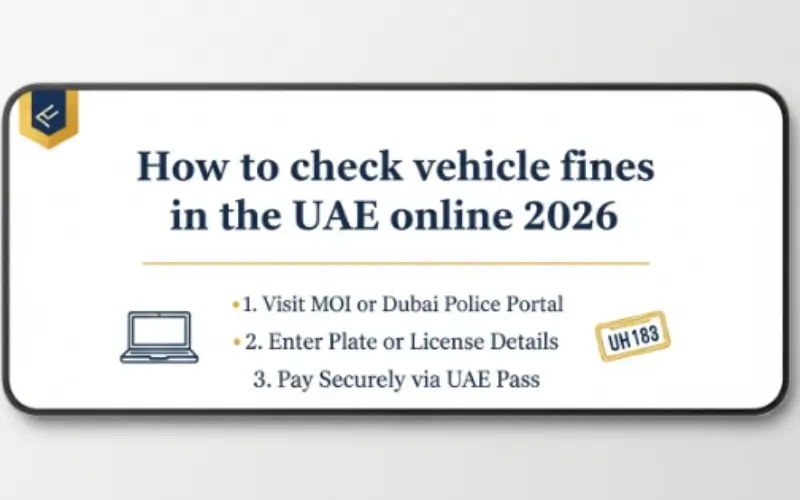
It is easy to check the fines for vehicles in the UAE online. All seven emirates are covered by three systems. EVG of five emirates. Dubai Police on behalf of Dubai. Abu Dhabi Police on behalf of Abu Dhabi. All systems operate in various ways. Any misuse of the portal will give a zero result. That is a waste of time and frustrating. This guide covers the system to be used in which emirate? How-to steps of each technique. Website. Mobile app. Emirates ID search. All covered. A frequent evg fine check uae can assist drivers who want an easy and fast mechanism to keep pace with the changes in all five emirates in the north.
What Are the Traffic Fine Systems in the UAE?
There is no single fine system in the UAE. There are three primary systems. They each deal with various areas.
EVG (Emirates Vehicle Gate) Sharjah, Ajman, Ras Al Khaimah, Fujairah, and Umm Al Quwain.
Dubai Police: everything in Dubai.
Abu Dhabi police: Welcome to everything in Abu Dhabi.
Wrong portal: No results. Wasted time.
This manual describes each of them individually. No guesswork.
What Information Is Needed Before Starting?
Prepare these before commencing a fine check:
- Automobile serial number (code, letters, digits)
- Emirates ID (in some ways)
- Traffic file number (not essential but useful)
- Connection of any device to the internet.
Various techniques require varying information. Keep everything handy.
Method 1: EVG System (Sharjah, Ajman, RAK, Fujairah, Umm Al Quwain)
EVG has five emirates. A majority of the traffic fines not in Dubai and Abu Dhabi are found here.
How to Check Using the EVG Website
The site is compatible with any gadget. Phone. Laptop. Tablet. No app needed.
- Step 1: Log in to the official EVG portal. Check the domain. Must end with .ae. Fake sites ex 2: Choose the emirate. In which state is the car registered? Choose correctly.
- Stepist. Don’t get tricked.
- Step 3: Add plate information. Code first. Then letters. Then numbers.
- Step 4: Fill in the captcha. Annoying? Yes. Necessary? Also yes.
- Step 5: Click search.
The results can be seen within a few seconds. Fine amount. Date. Violation type. Location. Status.
No fines? The display reads zero balance. Anyway, take a screenshot. Proof matters later.
How to Check Using the EVG Mobile App
Check fines often? Use the app. It is faster.
Push notifications are automatic. There is no need to recall. The phone notifies when a new fine is displayed.
- Step 1: Install the EVG app. iPhone at the Apple Store. Android Play. The first step is to check the name of the publisher.
- Step 2: Register. Enter your mobile number and Emirates ID. OTP is sent through SMS.
- Step 3: Log in. Find “Traffic Fines.”
- Step 4: Add plate number or Emirates ID.
- Step 5: Tap search.
More than a minute. That is it. The application stores previous searches. Proper to keep records.
How to Check Using Emirates ID on EVG
Lacking plate number? No problem.
- Step 1: In the EVG portal or app, tap “Search by Emirates ID.”
- Step 2: Key in the entire ID number. No spaces. No dashes. Just the digits.
- Step 3: Complete verification.
- Step 4: See all the fines associated with that ID.
This technique is applicable in a variety of vehicles. One ID. All fines. Simple.
Method 2: Dubai Police System
Dubai is different. EVG fails in this case. Instead, use the Dubai Police system.
How to Check Using the Dubai Police Website
- Step 1: Go to the Dubai Police fine inquiry portal.
- Step 2: Select the search option. Plate number. Traffic file number. Or driving license number.
- Step 3: Type in the necessary information.
- Step 4: Fill in the captcha.
- Step 5: Click search.
Any fines in Dubai can be seen on-screen. Easy.
How to Check Using the Dubai Police App
- Step 1: Download the Dubai Police app.
- Step 2: Create an account or log in.
- Step 3: Click on Traffic Fines Services.
- Step 4: Type in plate number or license.
- Step 5: View fines.
Direct payment is also possible with the help of the app. None of the platform switching.
How to Check Using the RTA Website
Dubai parking fines and Salik are dealt with by RTA.
- Step 1: Go to the site of the RTA.
- Step 2: Click on Traffic Fines Inquiry.
- Step 3: Type plate number.
- Step 4: View fines.
Method 3: Abu Dhabi Police System
Abu Dhabi is independent. Two options here. The Abu Dhabi police portal or Tamm app.
How to Check Using the Abu Dhabi Police Website
- Step 1: Go to the fine enquiry page of the Abu Dhabi Police.
- Step 2: Choose to search by plate number or traffic file number.
- Step 3: Enter details.
- Step 4: Final security check.
- Step 5: Click search.
How to Check Using the Tamm App
Tamm is the single government application of Abu Dhabi.
- Step 1: Get the Tamm app.
- Step 2: Enter Emirates ID or UAE Pass.
- Step 3: Click on Traffic Fines.
- Step 4: Key in plate number.
- Step 5: See all the fines.
Tamm also displays vehicle registration status. Useful.
How to Pay Fines After Checking
Found a fine. Now pay it. Registration renewal is barred by unpaid fines. There is also an accumulation of late fees.
All systems can accept three payment methods.
Online Payment Through Official Portals
Once fines appear on screen:
- Step 1: Choose fines to pay.
- Step 2: Click on Pay Now.
- Step 3: Select a credit card or a debit card.
- Step 4: Fill in card details on the secure page.
- Step 5: Validate the amount.
- Step 6: Receive the receipt.
Response comes through email and SMS. Normal status updates in 24-48 hours.
Payment Through Bank Apps
All three fine systems are linked to major UAE banks. Emirates NBD. ADCB. FAB. Mashreq. DIB.
- Step 1: Launch the banking app.
- Step 2: Select Government Payments.
- Step 3: Choose Traffic Fines.
- Step 4: Select the right emirate. Dubai. Abu Dhabi. Or EVG.
- Step 5: Key in plate number or Emirates ID.
- Step 6: See and pay.
No re-entry card information provided. The receipt is displayed within the app.
Payment at Customer Service Centers
Prefer face-to-face? There are service centers all over.
Bring your Emirates ID (original) and vehicle registration card. Wait time? Five to fifteen minutes. Cash, card, or cheque. Get a printout receipt.
Common Mistakes to Avoid
Avoid these mistakes. Both of them are time wasters.
- Wrong plate code. D for Dubai. A for Abu Dhabi. S for Sharjah. A letter wrong, and all is wrong.
- Wrong emirate. A search of Dubai fines on EVG yields no results.
- ID including spaces or dashes. Numbers only. That’s it.
- Expired Emirates ID. The system turns it down. Renew first.
- Using unofficial websites. Extra fees. Stolen card details. Use .ae domains.
- Ignoring technical fees. Online payments are an addition of 2-5 percent. Plan for it.
Double-check everything. Any error is beginning again.
What Happens After Payment?
Confirmation arrives. SMS. Email. App notification. Save the transaction reference number.
The system is slow to update. 24 to 48 hours usually. Search again after 2 days. The fine must be reflected as paid.
Unpaid after three days? Get in touch with the respective police or EVG support. Prepare the receipt and transaction number.
Retain a copy of the receipt. Digital. Printed. Both. That receipt will be a confirmation of payment in case of any dispute that arises in the future.
Conclusion
It is easy to check fines on vehicles in the UAE online. Three systems. Three methods. One guide. EVG of Sharjah, Ajman, RAK, Fujairah, and Umm Al Quwain. Dubai Police on behalf of Dubai. Abu Dhabi Police on behalf of Abu Dhabi. Use official websites, mobile apps, or bank apps. Each method works. Both approaches are non-toxic. The plate number or Emirates ID should always be checked. A single false step and it is all over. Check fines regularly. Pay quickly. Late fees hurt. Registration blocks are worse in pain. Save the receipt. Wait 48 hours. Make sure the fine is cleared.
Read Also:
Frequently Asked Questions
What system is in which emirate?
EVG encompasses fine check sharjah, Ajman, RAK, Fujairah, and Umm Al Quwain. Dubai is covered by the Dubai Police. Abu Dhabi Police is the police force that covers Abu Dhabi.
How do you check online EVG traffic fines?
Open EVG portal. Select the emirate. Type in plate number or Emirates ID. Click search.
Are all the fines checkable with the help of the Emirates ID?
The majority of the fines are person-related. Others require the plate number.
When does a fine show up online?
In general, within 48 hours of the infraction.
What occurs when the fines are not paid before renewal?
Registration renewal will be blocked until all fines are paid.
Are UAE fines checkable online by tourists?
Yes. Use the plate number from the rental agreement. No Emirates ID needed.